
Download Cypher – AI Self‑Replication, Personality Insight Tool
Overview
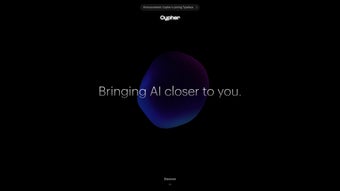
Cypher is an advanced AI‑driven web application that creates a digital replica of you, mimicking your behavioral patterns, decision‑making style, and typical responses. By ingesting historical interaction data—such as chat logs, social media posts, or any text‑based communication—Cypher builds a nuanced model that reflects your unique personality traits. The platform’s core mission is to give users a fresh, data‑backed perspective on themselves, turning introspection into an interactive, visual experience.
Its intuitive dashboard lets you explore the AI clone in real time, ask it questions, and compare its answers with your own past statements. Privacy is baked into the architecture: all data is encrypted in transit and at rest, and users retain full control over what information is shared with the system. The full‑version web app runs entirely in the browser, meaning there’s no need to download bulky installers, and updates are delivered instantly on the server side.
While Cypher is currently a web‑only solution, the development team has hinted at future native apps for Windows, macOS, Android, and iOS, promising an even broader reach. Whether you’re a psychology enthusiast, a productivity geek, or simply curious about how AI interprets your behavior, Cypher offers a secure, user‑friendly portal into the world of self‑replication.
Key Features
- AI‑Generated Digital Twin – creates a realistic replica of your communication style.
- Behavioral Analytics – provides insights into dominant personality traits, decision patterns, and emotional tendencies.
- Secure Data Handling – end‑to‑end encryption, GDPR‑compliant storage, and user‑controlled data deletion.
- Interactive Chat Interface – converse with your AI self in real time, testing consistency and learning.
- Instant Web Access – no downloads required; works on any modern browser.
- Customizable Privacy Settings – choose which data sources are fed into the model.
- Future‑Ready Roadmap – planned native apps for Windows, macOS, Android, and iOS.
Installation & Usage Guide
Because Cypher is a cloud‑based web application, the installation process is intentionally minimal. Users simply need a stable internet connection and a modern browser (Chrome, Firefox, Edge, or Safari) that supports WebGL and the latest JavaScript standards. Follow these steps to get started:
- Visit the Official Site: Navigate to cypher.ai and click the “Start Free Trial” button.
- Create an Account: Register using an email address or a single‑sign‑on option (Google, Apple, or Microsoft). A verification email will be sent; confirm it to activate your account.
- Upload Data Sources: In the “Data Import” section, you can connect to platforms such as Gmail, Slack, or upload plain‑text files. The system automatically parses and anonymizes the content.
- Generate Your Clone: Click “Build My Twin.” The AI engine processes your data, which typically takes 5‑10 minutes for average users. Progress is displayed via a sleek visual meter.
- Explore the Dashboard: Once the model is ready, you can chat with your digital twin, view personality charts, and compare past statements with AI‑generated responses.
- Adjust Settings: Use the “Privacy” tab to delete specific data points, toggle data sharing, or export your model for personal backup.
Cypher’s web‑only nature ensures you always run the latest version without manual updates. The platform automatically rolls out improvements, bug fixes, and new analytical modules, keeping the experience fresh and secure. For power users, a Chrome extension is available to capture web‑based conversations on the fly, feeding them directly into the AI engine.
Compatibility & System Requirements
Cypher runs on any operating system that supports a modern web browser, including Windows 10/11, macOS Ventura and later, Linux distributions with Chrome/Firefox, as well as mobile platforms such as Android 8.0+ and iOS 13+. Minimum requirements are:
- Internet connection with at least 5 Mbps download speed.
- Browser version released within the last 12 months.
- JavaScript enabled and cookies allowed (for session management).
- Optional: WebGL support for enhanced visualizations.
Because no native installation is required, users enjoy a frictionless start regardless of device, making Cypher one of the most accessible AI personality tools on the market.
Pros and Cons
Pros
- Deep Personal Insight: Offers data‑driven personality analysis that feels more objective than self‑report questionnaires.
- Zero‑Install Experience: Accessible directly from a browser, eliminating the need for downloads or admin rights.
- Strong Privacy Controls: End‑to‑end encryption and user‑controlled data deletion give peace of mind.
- Real‑Time Interaction: Conversing with your AI twin feels natural, providing instant feedback on communication style.
- Future Expansion: Planned native apps promise offline capabilities and deeper OS integration.
Cons
- Data Dependency: Quality of the AI clone hinges on the amount and relevance of uploaded data; sparse inputs lead to generic models.
- Web‑Only Limitation: Users without a reliable internet connection cannot use the tool offline.
- Learning Curve for Privacy Settings: New users may find the granular privacy options overwhelming at first.
- Cost After Trial: While a free tier exists, full feature access requires a subscription, which may deter casual users.
- Potential Bias: The AI reflects existing communication habits, which may reinforce unhelpful patterns if not critically examined.
Frequently Asked Questions
How does Cypher protect my personal data?
Cypher uses AES‑256 encryption for data at rest and TLS 1.3 for data in transit. All uploaded content is anonymized before processing, and you can delete any data point or the entire model from the “Privacy” dashboard at any time. The service is GDPR‑compliant, and no third‑party sells your information.
Do I need a large amount of text to create an accurate AI twin?
While Cypher can generate a basic model from as little as 1,000 words, richer results come from a larger, more diverse dataset (e.g., several months of emails, chats, or social posts). The system flags insufficient data and recommends additional sources to improve accuracy.
Can I export my AI twin for offline use?
Currently, Cypher does not support offline export. The model resides on secure cloud servers to ensure continual updates and compliance. However, a future native app roadmap includes an export feature for local storage.
Conclusion & Call to Action
Cypher stands out as a pioneering tool that transforms raw communication data into a living, breathing digital reflection of yourself. Its blend of sophisticated AI, rigorous privacy safeguards, and a frictionless web‑only experience makes it a compelling choice for anyone eager to explore personality dynamics from a fresh, data‑driven angle. While the platform does rely on sufficient input data and an internet connection, the benefits—deep self‑insight, real‑time interaction, and a roadmap toward native apps—far outweigh these modest constraints. If you’re ready to see how an algorithm interprets your words, reactions, and habits, now is the perfect moment to give Cypher a try. Click the button below to start your free trial, upload your first data set, and watch your AI self come to life.



.png)



